AI · 6 min read
Can Gemini Notebook Read Your Scanned PDF? Yes, but Check the Numbers
I asked it 50 questions about scanned and handwritten pages. It got 49 right, and the one it got wrong looked exactly like a right answer.
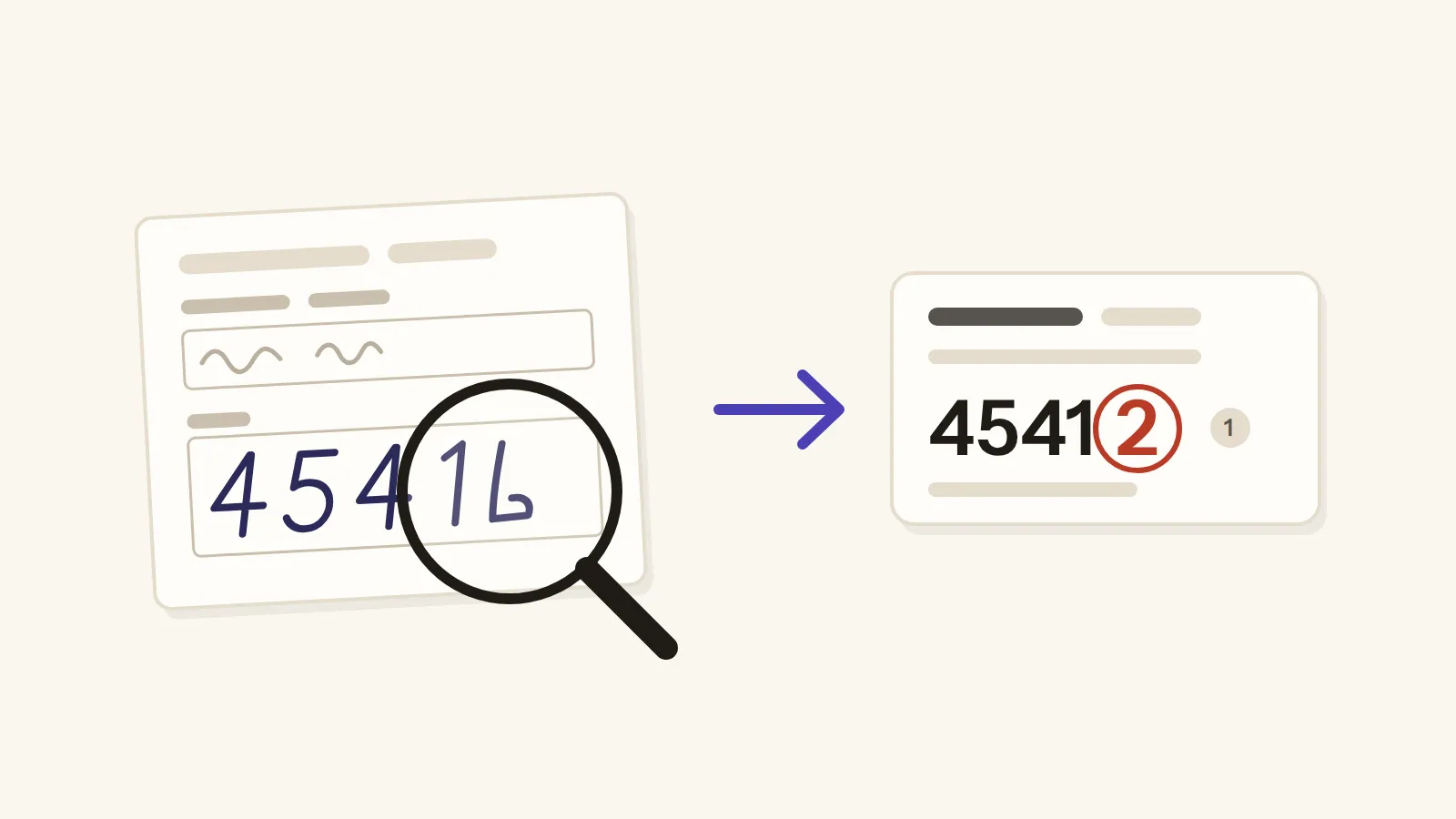
In short: Yes. In my 50-question test, Gemini Notebook read scans with no text layer and even hand-printed ZIP codes, got 49 right and made nothing up. But pages without text were slow, and one handwritten ZIP came back wrong with full confidence, so check every number against the page.
Can Gemini Notebook, the tool that used to be called NotebookLM, read a scanned PDF? Yes, and better than I expected. I gave it 50 questions across 6 notebooks, on a clean tax form, an old microfiche scan and real handwriting, and it got 49 of them right.
The one it got wrong was a handwritten ZIP code, and that wrong answer came back with a citation, in the same calm sentence as all the right ones. That's why I'd use it, but I'd still check every number against the page.
What people say, and what Google doesn't
If you've searched for this, you've probably seen both sides. Some people say it misses parts of their PDFs, or that its answers got worse after the rename, while others say it reads their scans just fine. And some found that a scanned page was simply invisible to it until they ran OCR on the file and uploaded it again.
So who's right? The official help doesn't tell you. Google's list of source types includes PDFs and images, and it warns that "certain types of images may not work as well". But there isn't a word about scanned pages, so I tested it myself.
The pages I tested it with
I set up the test in my own Gemini Notebook, on the paid plan. Each notebook got one file, a fresh chat and the same questions word for word, so no notebook got an easier version.
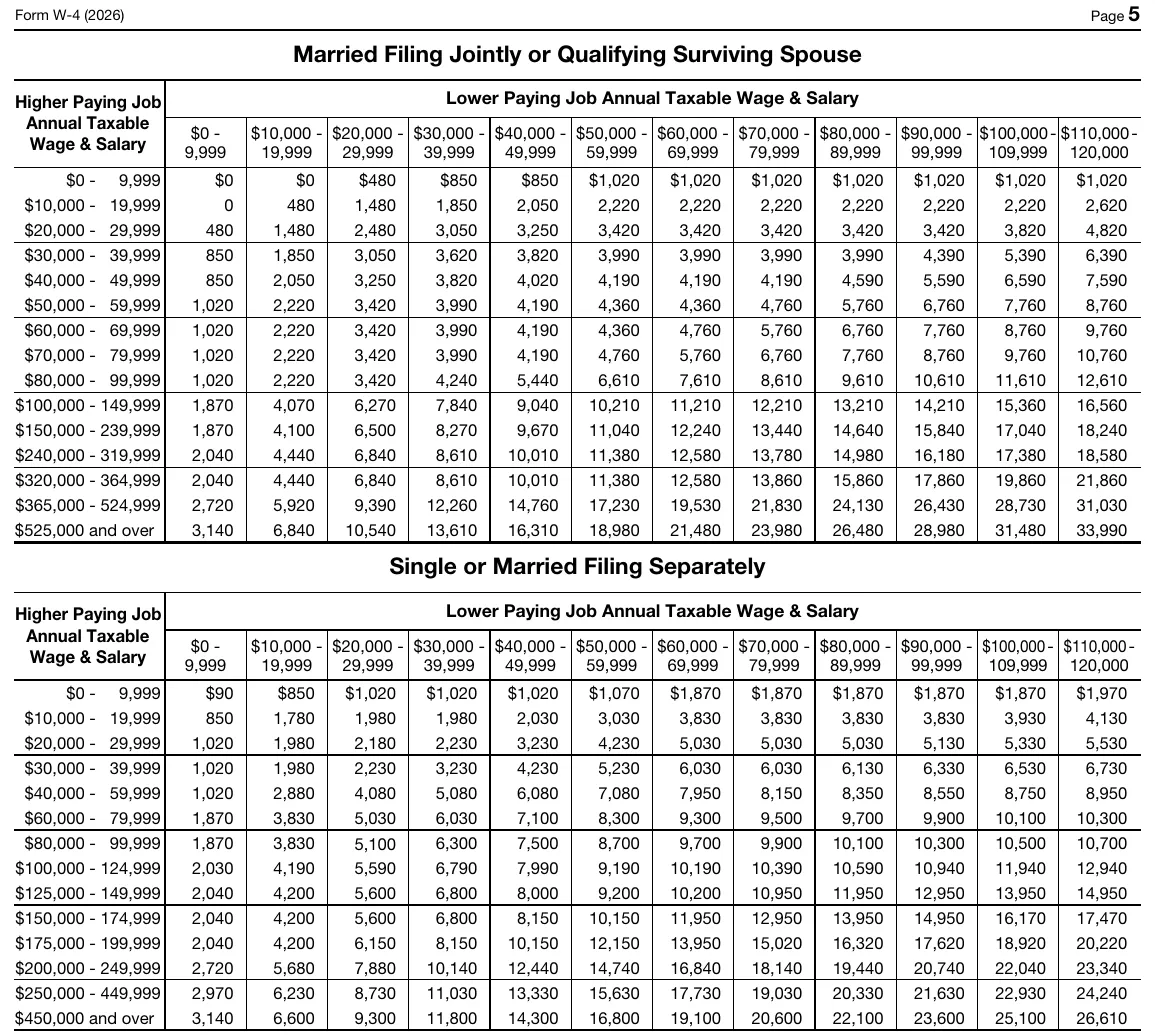
The first file was the easy one, the 2026 US tax form W-4, which has a normal text layer like most PDFs you download. This is the top of page 5, and four of my ten questions on this file came from these two tables.
Then I wanted something harder, so I took a real 1991 tax form from an old microfiche scan, and this is its page 2, where most of my questions came from. You can see why a scan like this worries people.
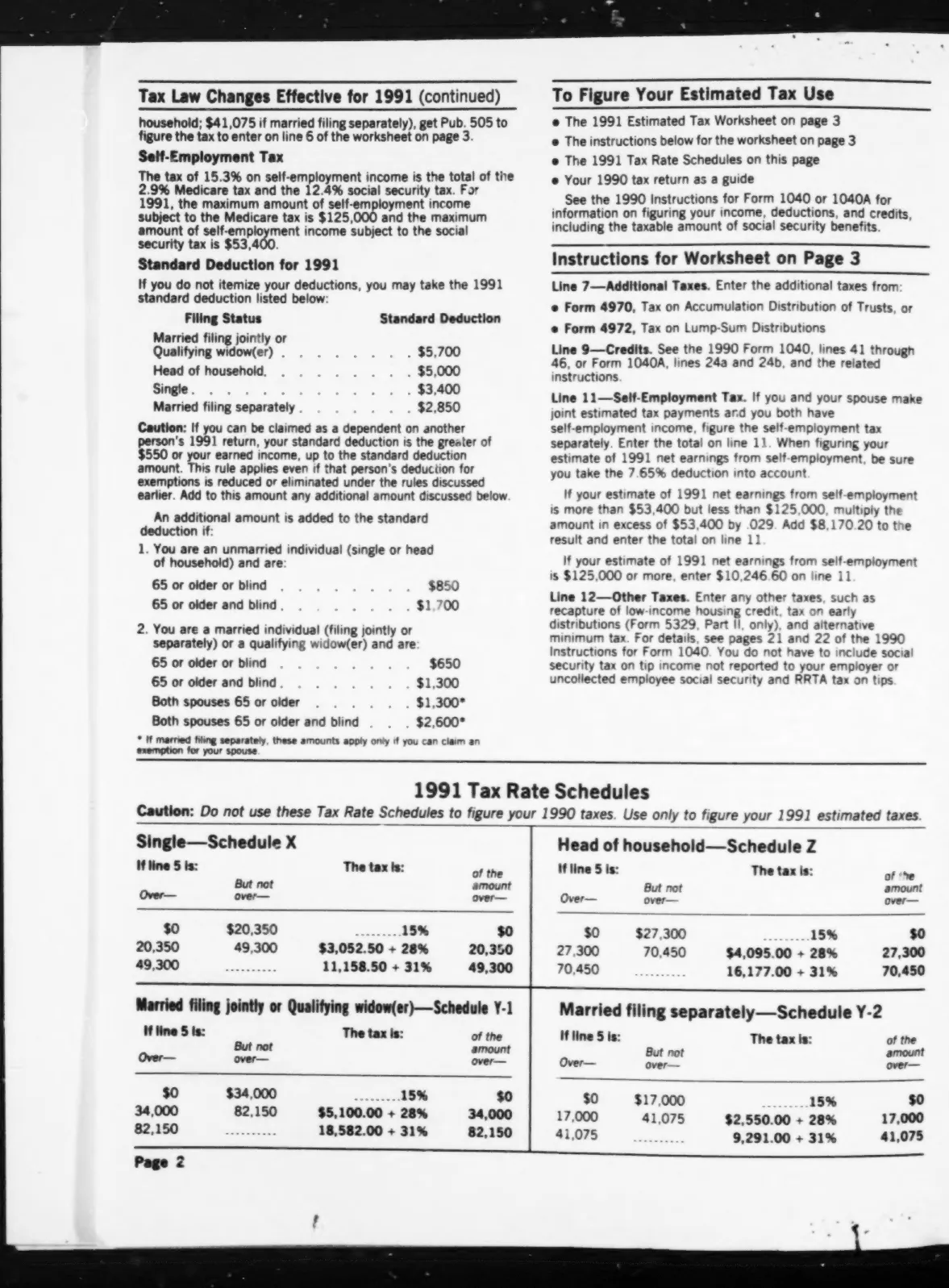
I used that scan three ways. First as downloaded, with someone else's OCR text already inside, which even turns the "1040-ES 1991" written at the top into "/040-E5 1997". Then as pictures only, with no text at all, and then after my own free OCR.
And for the hardest case I used real handwriting: ten hand-printed form tops with dates, cities and ZIP codes. They come from a public handwriting dataset, where the researchers had double-checked every label. This is page 6, where the ZIP code is 45416, though the last 6 looks a lot like an L.

I gave it those handwritten pages as pictures only, and again with a free OCR text layer on top. And on the printed files every notebook also got two questions whose answers were not in the file at all, like the 2026 Social Security wage base on a W-4, because I wanted to see if it would make something up.
It read almost all of it
So how did it do? Here is every notebook, one row each.
| Notebook | The file | Text layer | Right |
|---|---|---|---|
| A | 2026 W-4, original | Yes | 10 of 10 |
| R1 | 1991 scan, as downloaded | Yes, with OCR errors | 10 of 10 |
| R2 | 1991 scan, pictures only | None | 10 of 10 |
| R3 | 1991 scan + my free OCR | Yes | 10 of 10 |
| H1 | Handwriting, pictures only | None | 5 of 5 |
| H2 | Handwriting + free OCR | Yes, mostly wrong | 4 of 5 |
So it read the 1991 scan even with no text layer at all, and with only the pictures it read that L-looking 45416 right. And all 8 times I asked about something that wasn't in the file, it said so instead of inventing an answer.
Where it got slow, and where it slipped
But reading pictures takes time. On the 1991 scan with no text layer, two of the ten answers took more than four minutes, sitting on "Processing material..." and "Consulting your sources...". That's a long wait for one number, right? The same scan after a free OCR pass answered every question in 12 to 38 seconds.
And if you ask before the file has finished processing, you get nothing back. My very first question, sent seconds after an upload, came back with "no source passages were retrieved", and the same question asked again after processing was answered right.
Then came the one it got wrong. On the handwriting with my OCR layer, I asked for the ZIP code on page 6, the one with the L-looking 6, and it said 45412, confidently and with a citation.
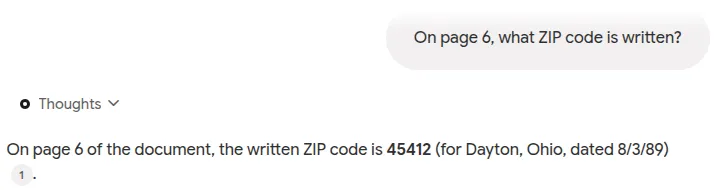
Now, before you blame the OCR layer, it wasn't copying it. My free OCR had read most of that handwriting as noise, like "H#E0bQ" for 48082, and Gemini Notebook didn't repeat any of it. And on the pictures-only copy the same page came back right, so one run can't prove what caused the mistake, but it does show the risk.
And it's not just this tool, because people who use vision AI for handwriting say much the same thing: it's good, but when it isn't sure, it can give you a confident guess instead of telling you.
How I gave the scan its text layer, for free
So how do you add that text layer yourself? I used Tesseract, a free and open-source OCR program that started at HP, was later developed by Google, and runs on Windows and Mac as well as Linux, where I ran it.
The one catch is that Tesseract reads images, not PDFs, so it took me two steps. First I turned every page of the scan into an image at 300 dpi with a free tool called pdftoppm. Then I gave Tesseract the list of those images and asked for a PDF back, and it wrote a new PDF with the same pages and an invisible layer of text underneath.
That new file is the one that answered every question in 12 to 38 seconds. It did grow from about 2 MB to 23 MB, because my copy stores every page as a much bigger image, but that's still far under the 200 MB limit.
On Windows there's a ready installer from UB Mannheim, and on a Mac it's one Homebrew command, "brew install tesseract".
But don't expect it to read handwriting. On my handwritten pages Tesseract gave mostly noise, like "H#E0bQ" for 48082, and the pictures-only copy did at least as well, so for handwriting this step didn't help me.
So should you trust it with your scans?
Yes, as long as you check the numbers. So here's how I'd use it with a pile of scans.
Before you trust the answers
6 checks
And keep in mind what this test was: one run per notebook, on the paid plan, with 50 questions. Clean printed scans and neat hand printing went in, but a phone photo or joined-up handwriting didn't. And people say its answers changed after the rename, so try your own files before you trust it.
And if your real job is not asking questions but turning hundreds of scanned pages into clean numbers, that's a different job. I did that with a small local AI on my old 16 GB server, using rules for misreads, limits and number formats, and a person who still checks. It's all in Scanned PDF to Excel With a Small Local AI.
So use Gemini Notebook to find things in your scans, because it's good at that, but the checking is still your job.
Tags: gemini notebook · notebooklm · ocr · scanned pdf