AI · 6 min read
Why Is ChatGPT So Slow in Long Chats? Two Reasons, One Fix
A new chat doesn’t lag for me, a long one does. Here’s why, why the answers slip too, and the habit that helps both.
In short: ChatGPT lags in a long chat because the page keeps the whole conversation in your browser, and its answers slip because the model gets lost in long chats. A change in August 2026 didn’t end it. What helps with both: a new chat with a short note of what it needs to know.
If you use ChatGPT a lot, you've probably seen this: a chat is fine at the start, and then after many messages it starts lagging, both while you type and while the answer comes in. You type a whole sentence and then watch the letters arrive one by one, like they're standing in a queue at the bank. That's exactly what happens to me, because a new chat doesn't lag at all, and the lag only starts when one chat has a lot of messages in it.
So here's the answer first, as of October 2026. The lag happens in your browser, because the ChatGPT page keeps the whole conversation loaded, and OpenAI's own support team has said that this can cause input lag. And a long chat has a second problem that you can't see, which is that the answers can get worse, because the model gets lost in a long conversation.
The fix for both is the same, and it's what I do now: I start a new chat, write down the context it needs, and start fresh from there.
Why ChatGPT lags in a long chat: your browser holds all of it
My feeling is that ChatGPT tries to load the whole conversation in the browser, and that's more or less what OpenAI's support team said on its own forum in February 2026: "Once conversations get large, the UI is still rendering the entire DOM tree, and that can definitely cause input lag over time." In simple words, the page keeps every message of the chat alive, the old ones too. So your browser carries all of it while you type, a bit like keeping every page you've ever written open on your desk while you try to write one more line.
So is your laptop too old? Probably not, because even someone with a fairly powerful computer says long chats get slow. People report the same lag in Chrome on Linux and in Safari on a Mac, and in both cases a new, short chat in the same browser is fast again. I see it on my laptop in Edge too.
And you feel it first while typing. One person who looked into it says the slow part is the message box itself, because it's a heavy editor with lots of features. And another has seen one long ChatGPT tab use around 1 GB of memory.
OpenAI's August change didn't end the lag
You may have read that this is solved. In May, one user said ChatGPT had started loading long chats in pages, so their very long chats didn't lag any more. And on 21 August 2026, OpenAI made long chats on the web load in smaller sections instead of all at once, so they open faster and older messages load a bit at a time as you scroll up.
But that change is about opening a long chat, and the lag didn't go away. One user found loading long chats much slower that same month, people still reported slow scrolling and typing in September, and a bug report about typing lag in long chats is still open as of 8 October 2026. Even OpenAI's own help page on a slow ChatGPT talks about cache, extensions, browsers and your network, but it doesn't mention long chats at all.
Long chats make the answers worse too
And the lag is only half of it for me. I've stopped using ChatGPT extensively these days, and I create new chats, because long chats don't help with better answers. The way I see it, AI has context deterioration, and that makes it hallucinate.
When I checked this against research, it mostly holds up. Researchers at Microsoft and Salesforce gave the top AI models the same tasks in two ways, in one full message and as a back-and-forth over many messages. The models did worse in the back-and-forth, with an average drop of 39% across six kinds of tasks. In their words, "when LLMs take a wrong turn in a conversation, they get lost and do not recover", and LLMs here means the AI models behind tools like ChatGPT.
Another 2025 study tested 18 models, including GPT-4.1, and found that their answers get less reliable as the input gets longer, even on simple tasks. When a long input had distracting text in it, the GPT models made things up the most, giving confident but wrong answers. And an older study, from 2023, found that models use what's at the start and the end of a long input best, and what's in the middle worst. So it's a bit like a three-hour meeting, where everyone remembers how it started and how it ended, and the middle is where they all confidently remember different things.
The same 2025 study also ran a chat-memory test. The models did much better when they got only the part of the chat history that mattered than when they got the whole history, which was hundreds of times longer. And that's exactly what a short note of the context gives a new chat.
The research puts it a little differently from me, though: in a long chat the model gets lost and holds on to its own early guesses, so it gives confident wrong answers. And there's one honest limit, which is that these studies tested the AI models directly, in 2023 and 2025, not the ChatGPT app you use today.
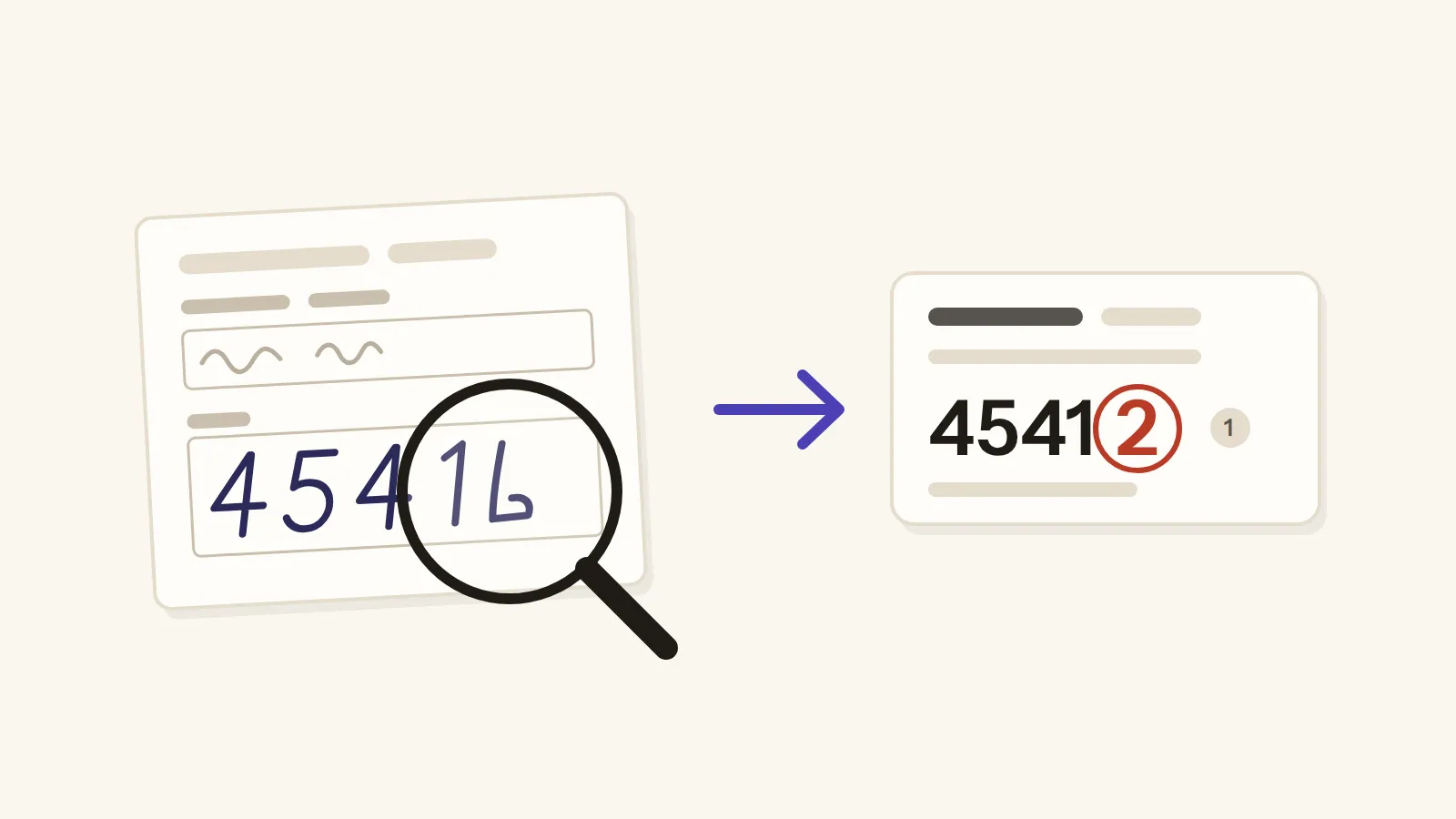
And confident wrong answers aren't only a long-chat thing. When I tested Gemini Notebook on 50 questions about scanned pages, it got 49 right, but it read a handwritten 45416 as 45412, calmly and with a citation, so I check every number against the page, in any chat.
What helps: a new chat with a short note
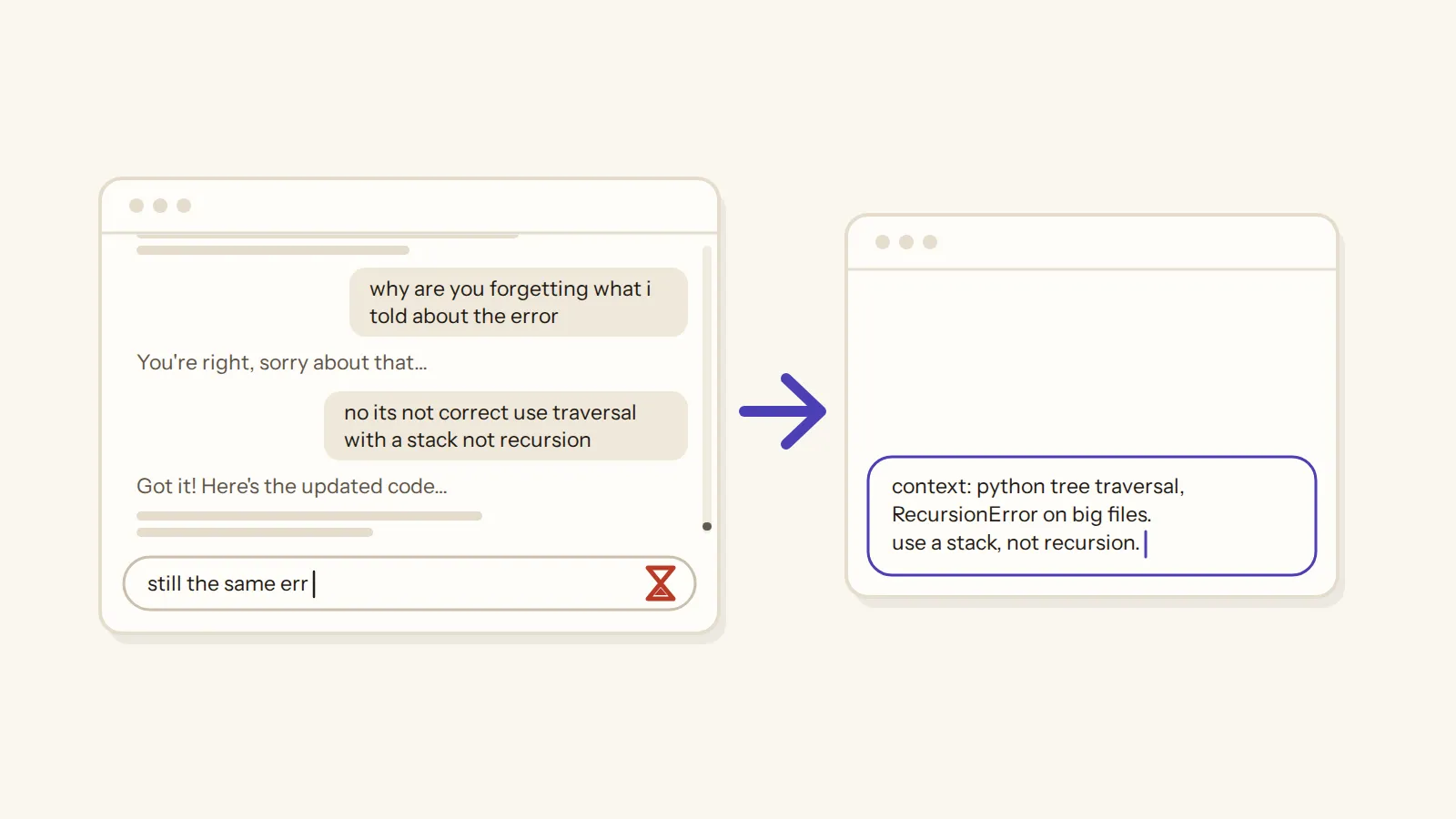
So when a chat starts lagging, I start a new chat. It fixes the lag straight away, because the new page has almost nothing to carry. And people with the same problem in Safari and Chrome say the same thing: a new chat is fast again.
But a new chat starts without the old context, and OpenAI's support team says so too: "Starting a new chat works technically, but like you said, rebuilding context isn't always ideal." That's why I don't start empty. I write down the context the new chat needs and start fresh from there. It's the same reason a handover note works better than forwarding someone a 300-email thread with "it's all in there".
And you don't have to write that note yourself. The researchers I mentioned suggest a simple trick: ask the old chat to put together everything you told it, then take that answer into a new chat. They found that starting over with the same information may give much better results than pushing on in a chat that has lost its way.
Other things to try when ChatGPT lags
If even a new chat is slow, OpenAI's own help page has the usual steps, and they're worth a try:
- clear your browser's cache and cookies;
- check OpenAI's status page;
- try another browser, or a private window with your extensions off;
- close the programs and tabs you don't need;
- try another device or network.
One report also says the lag is noticeably better in Firefox than in Chrome, but another user says it happens to them in both. So if you use Chrome, Firefox may be worth a try for your long chats.
And if nothing helps, OpenAI's support team asks you to email support@openai.com with your browser version, your system and a short screen recording of the delay. They also say to keep your private chats and account details out of that recording.
What about the desktop app or the newer ChatGPT Work? One person says ChatGPT Work made their chats usable again, after a minute of keyboard lag in ChatGPT on the web. But another reports that the desktop app on Linux shows long answers very slowly too, so switching is worth a try, but it's not a sure fix.
Some people got so tired of the lag that they built their own fixes, like a browser extension that shows only the latest messages of a long chat. The maker of one says the tab gets slow after about 30 to 40 messages, and that on a chat of 1,854 messages it ran about 62 times faster, but that's the maker's own number. And before you install anything like that, remember that an extension that works on the ChatGPT page can read that page, your chats included. That's how browser extensions work, so think twice before you add one.
When a chat starts lagging: a checklist
Here's the whole thing as a checklist you can tick off the next time a chat starts lagging.
When a chat starts lagging
6 steps
So a long chat slows down your browser and confuses the model, and the habit that helps with both is yours to build: a new chat with a short note, every time one gets long.
Tags: chatgpt · long chats · ai tools